Agentic design system audit and remediation

An agent that audits Best Egg’s whole Figma design system, and the plan to fix what it found. A senior product designer’s agent fixed one overloaded button first. Then the audit covered all 296 files.

Outcome

86%

Fewer button variants: from 2,304 in one component to 321 across three

Role
Sr. Director of Product Design
Team
2 senior product designers
Timeline
2 quarters
Coverage
296 of 296 files

The problem

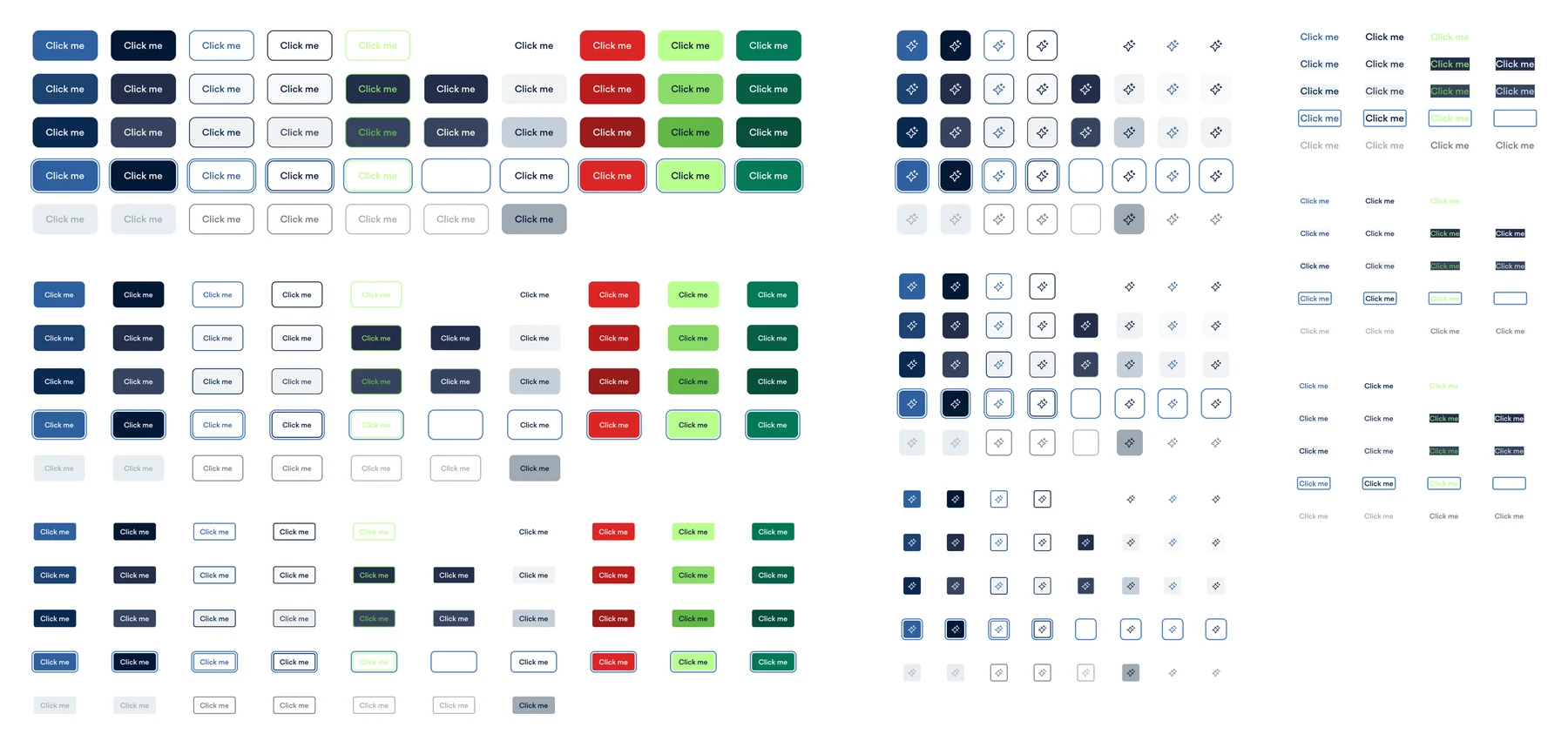
One component, .Button, held seven properties: style, color, size, icon, fixed width, state and theme. Multiplied out, that was 2,304 variants, most unused and many near-identical. Behind it sat a library of 1,316 assets across eight teams that nobody had ever measured.

  • IconsA variant, not a boolean, so one icon multiplied the whole matrix by four.
  • Fixed widthA variant too, so turning it on doubled everything else in the matrix.
  • Disabled stateOne per color, so the same disabled look got defined again and again.
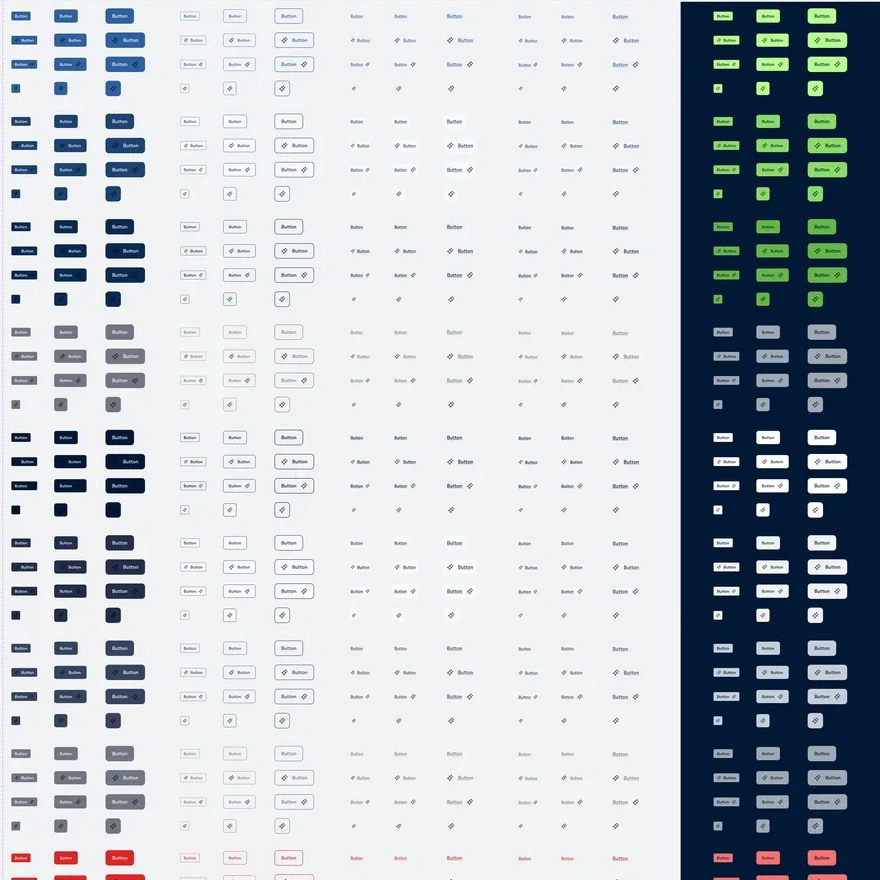
A wide view of the old .Button sheet: Primary and Neutral buttons in default, hover, active and disabled, solid, ghost, borderless and link, three sizes, with and without icons, repeated again on the dark theme

How I led it

The full audit

I built the agent and ran the whole-library audit myself. I generated the Figma token, wrote the crawler’s rules and registered the teams. I left out the archives and the library’s own file, and took a name-match heuristic out of the adoption formula. Brand Studio is reported separately, because marketing collateral does not instance a dropdown.

The direction

I directed the remediation. The plan divided at write access: specs and lists to the agent, every edit to the library to one senior product designer, and the order set by who could act. The button portion was the other senior product designer’s from start to finish, agent and remediation.

The line

The analysis narrowed decisions and people made them. The data could not pick between 10px, used 1,834 times, and 12px, used 1,796. The 92 dormant illustrations went to Brand Studio for a conversation instead of being deleted.

Key decisions

Three components instead of one

One senior product designer built an agent and ran it through every Figma file: it listed each variant, found every instance in the product files and flagged what was unused or duplicated. From its list they kept 321, split into Button, Icon Button and Link, and had the agent write the usage guideline.

Split by purpose

Button, Icon Button and Link each got their own component, so the name says what it is for.

Booleans over variants

Each side got an icon toggle, and the icon itself became a swap.

One disabled state

Danger, Brand and Action reuse Primary’s disabled variant instead of defining their own.

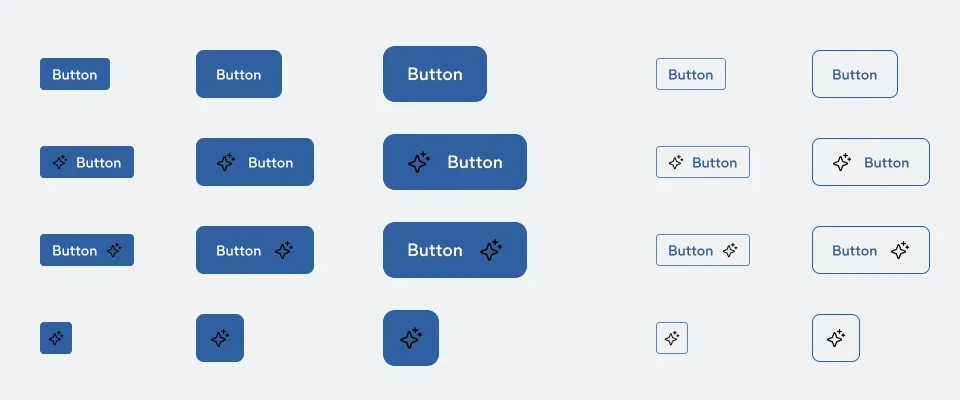
A corner of the old .Button sheet: Primary buttons in three sizes, solid and ghost, each drawn four times, with no icon, a left icon, a right icon and the icon alone

Cut

Icon as a variant

One icon property multiplied the whole .Button matrix by four, and most of those variants were never used.

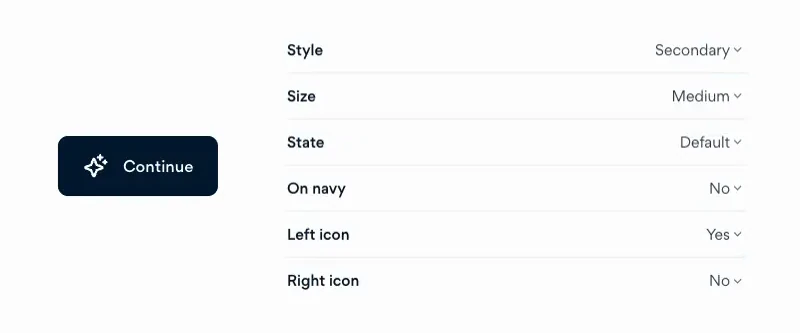
The new Button on the design system site with a left icon, next to its properties: Style, Size, State and On navy, then Left icon set to Yes and Right icon set to No

Kept

Icon as a boolean and a swap

Left and right icons became toggles and the icon itself a swap, so they add nothing to the matrix.

The three new components side by side: the Button sheet, the Icon Button sheet and the Link sheet, every style, state and size on one page

An audit of every file

I built an agent on a read-only Figma token, so it could open every file at Best Egg. The list it wrote is what the remediation works from.

Connect Figma

With the token, the agent could reach every page and every instance in each file.

Audit everything

The agent audited every file against the design system and counted what needed fixing.

Split the fixes

It then built an interactive remediation guide, split between what it could do itself and what I directed the team to do.

The brief, as the agent runs it

  1. 01Crawl

    Open every file

    Every page and every instance, across the eight registered teams, on a read-only Figma token.

    0files read
  2. 02Scope

    Skip two, set one apart

    • ArchivesSkipped
    • The library’s own fileSkipped
    • Brand StudioReported apart

    Marketing collateral does not instance a dropdown.

  3. 03Count

    Count against the system

    1.15 million instances, used and unused. No credit for a layer that only matches a component’s name.

    0.0%library adoption
  4. 04Flag

    Flag it, with the counts

    • Components with zero instances0
    • .Button variants, many near-identical0
    • Hand-set values with a published variable0
  5. 05Write

    One card per fix

    Open in Figma and the exact change to paste or click through

    Agent can make itNeeds write access

    0fixes in the guide
  6. 06Stop

    Stop at the list

    The decisions go to the team. The run starts again on the first of every month.

    Design team decides

What the audit found

Adoption sat at 90.7% across 1.15 million instances, so nobody was rebuilding components. The findings were upkeep: unwired tokens, dormant components and art in the component picker.

  • A token system, almost unbound

    Five collections and 229 variables exist, but nothing in the library is wired to them. 844,333 values are still hand-set instead.

  • 770 components never used

    770 components have zero instances, and 59 standalones are the real deprecation candidates.

  • Half the picker is illustrations

    266 of 491 standalone components are hand-drawn art that every designer scrolls past to reach the button components. 174 are in use, so they move to a library of their own.

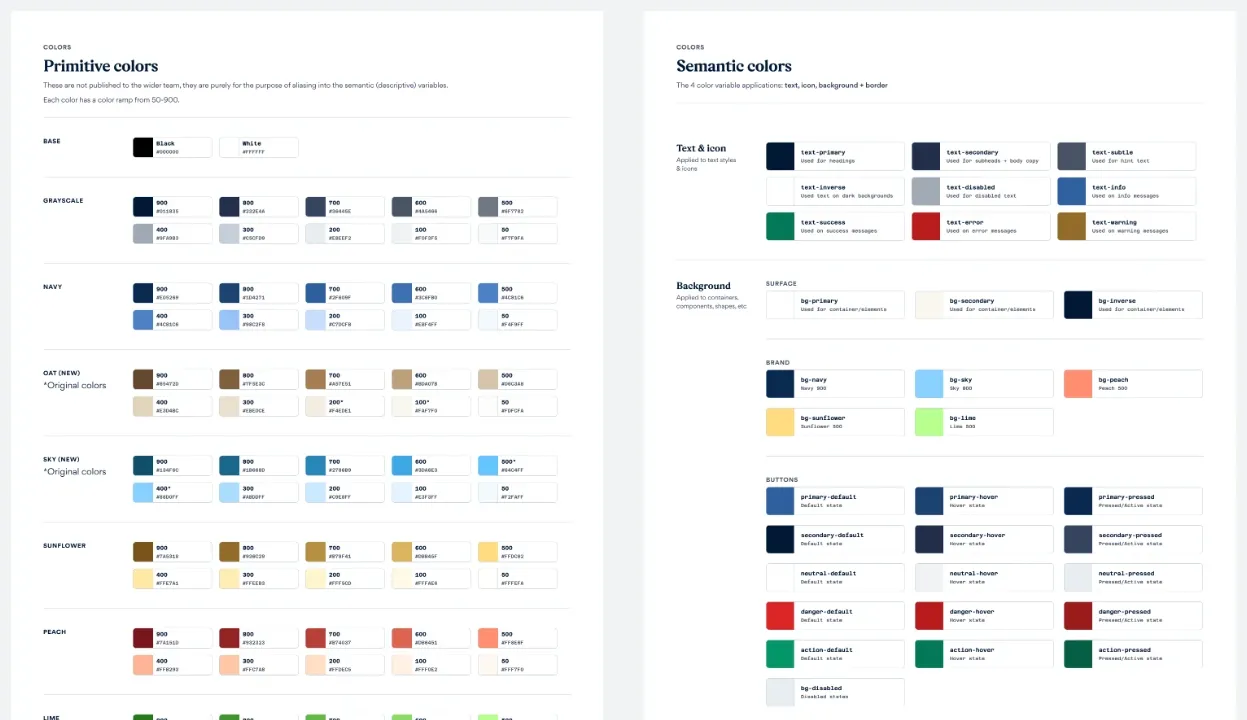
A corner of the color sheets: Primitive colors, ramps of 50 to 900 for base, grayscale, navy and five brand hues

A guide for every fix

The agent wrote the remediation guide: a deep link into Figma for every fix, with the exact change to paste or click through. The other senior product designer worked the library edits from it while the agent took the specs and lists. The audit runs again on the first of every month, so drift, new components and finished fixes show up in the next report.

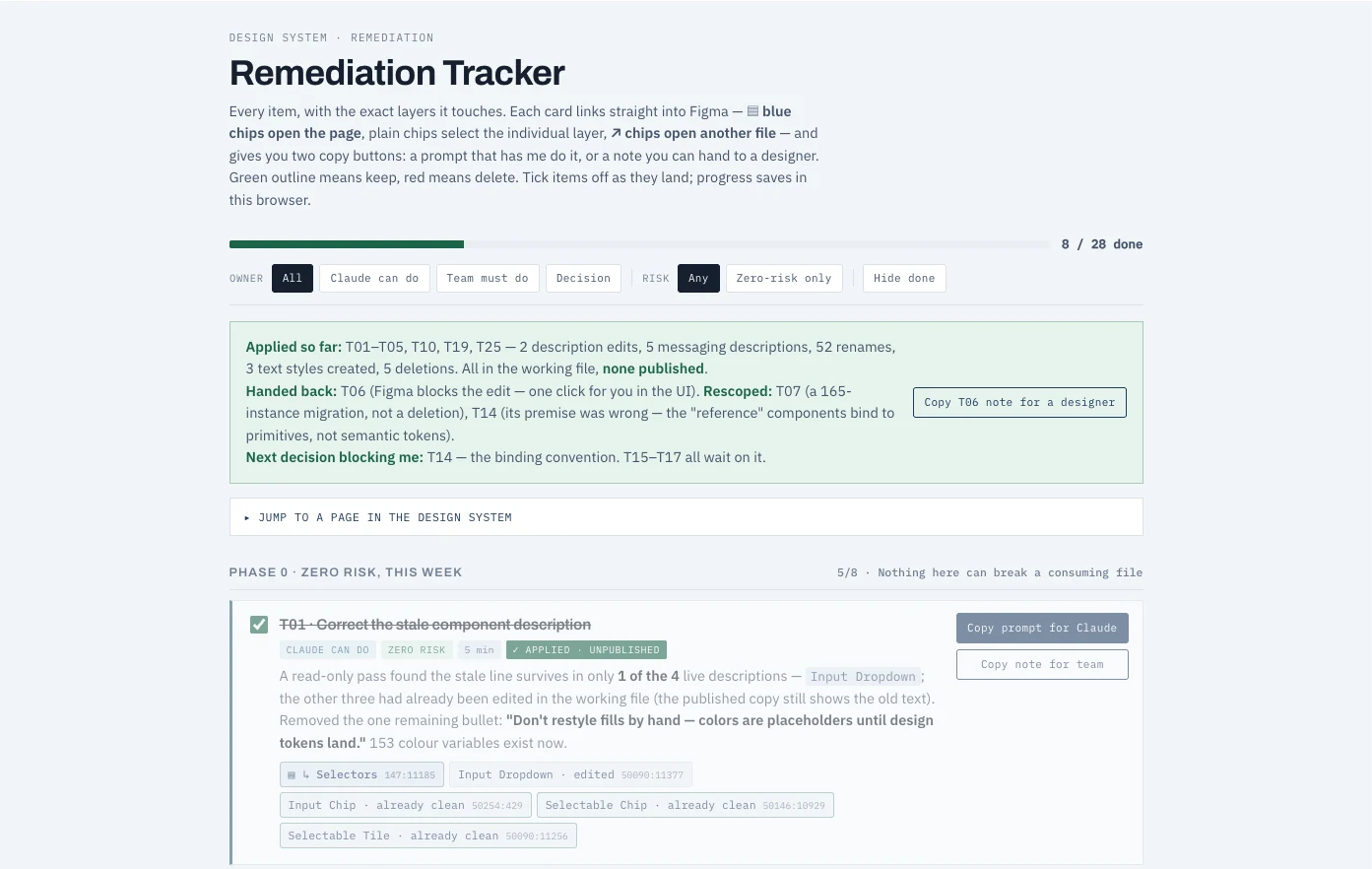
The remediation guide the agent wrote, captured with 8 of its 28 fixes done: filters for owner and risk, a running note of what has been applied and what is blocked, and the first card — its owner, its risk, its time estimate, deep links into Figma and two copy buttons

A site that rebuilds every week

With the set settled, the same agent built an internal design system site: every component rendered live, with its props, code and tokens on one page. It reads the component library in Figma and updates every week, so the site matches the file.

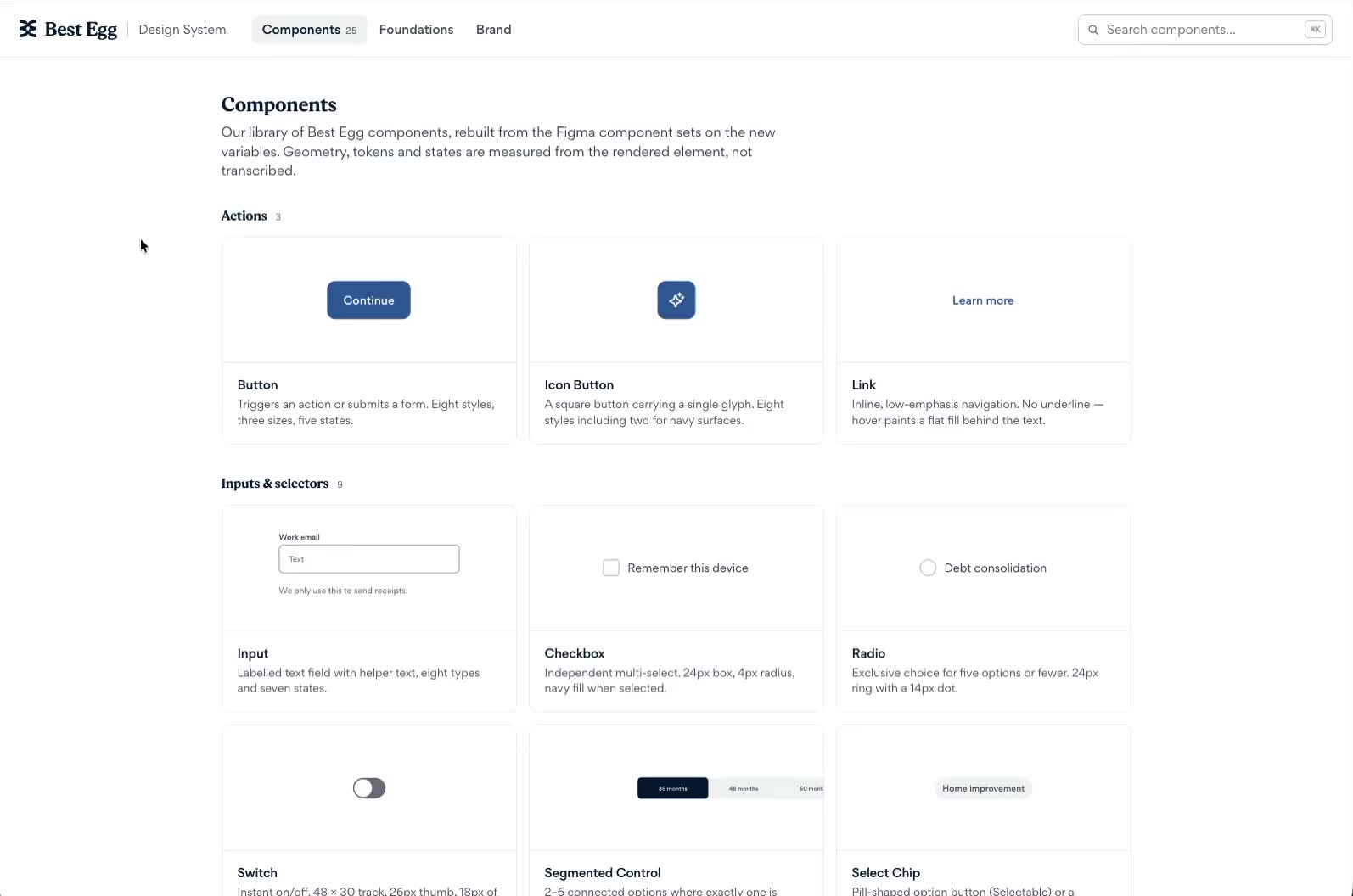
The Components page of the Best Egg design system site: 25 components in groups, Actions (Button, Icon Button, Link) and Inputs & selectors (Input, Checkbox, Radio, Switch, Segmented Control, Select Chip), each with a one-line description

Screen recording of the internal design system site: the Button page, its props changed live, with anatomy, guidelines, code and tokens alongside.

Results

The button set came down to 321 variants across Button, Icon Button and Link. The full audit found the same pattern across 1,316 assets, and the remediation cut it back. All 28 fixes are done.

321
variants across three components, down from 2,304 in one
Button · 141Icon Button · 120Link · 60
View as a table
MetricOld .ButtonNew system
Components13: Button, Icon Button, Link
Variants2,304321
Properties that multiply74
IconsA variant, 4× the matrixA boolean and a swap, no multiplier
Fixed widthA variant, 2× the matrixHandled inside the component
Disabled stateOne per colorDanger, Brand and Action reuse Primary’s
  • 66%

    Fewer components in the picker

    The picker went from 491 standalone components to 166.

  • 844K

    Hand-set values linked to tokens

    844,333 hand-set values were linked to the library’s 229 tokens.

  • 266

    Illustrations moved out

    The hand-drawn art got a library of its own, so nobody scrolls past it to reach a button.

  • 59

    Unused components deprecated

    Every standalone component with zero instances came out of the library.

View as a table
MetricBeforeAfter
Standalone components in the picker491166
Illustrations in the UI library2660, in their own library
Standalone components with zero instances590
Hand-set values with a token already published844,333Linked to the 229 tokens
Ways color is modeled21
Ways type is modeled31
Dead libraries still published20
Component descriptions that mislead40
Trend visibilityOne snapshotMonthly history